Your first score
Open DomiSol, write a few notes, and hear them back — the whole loop in about two minutes, on a phone or a laptop.
Verified against 0.5.0 · app is now 1.0.0
DomiSol writes music in tonic solfa (d r m f s l t) and jianpu
(1 2 3 4 5 6 7). Not staff notation — those two, natively, as the notations
they are.

This page walks the whole loop once: write something, hear it, keep it. Two minutes, and it works the same on a $100 Android as on a laptop.
Open the editor
Go to dash.domisol.app and sign in. You land in the editor on an empty score called Untitled score.
On a phone you can use the same address in the browser, or install the app: DomiSol for Android is on Google Play, and DomiSol for iPhone is in early access on TestFlight. Sign in with the same account and your scores are there.
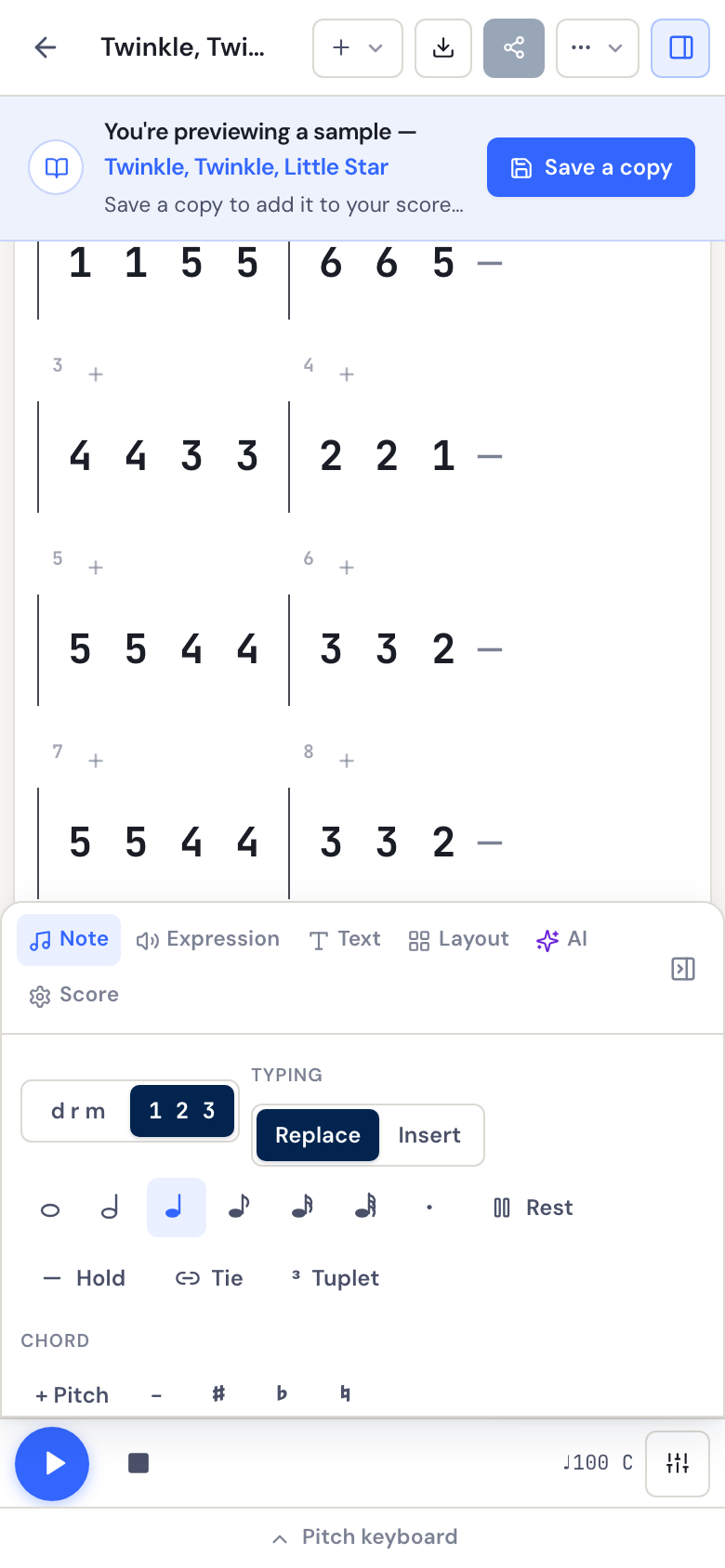
If you’d rather poke at real music first, open the ⋯ menu and choose Browse samples — you can load a finished piece, play it, and take it apart without writing anything. Nothing you do to a sample touches your library until you save a copy.
Write a few notes
Click the empty bar, then type. On a keyboard:
d r m f s l t     the seven degrees, while the score shows solfa
1 2 3 4 5 6 7     the same seven, while it shows jianpu
Each keystroke appends a note and moves on, so a phrase is just a word you type. The keys follow the display, so if the numbers do nothing, switch to jianpu first. On a phone, the same seven live on the pitch keyboard along the bottom.
Two things worth knowing immediately, because they’re the ones people ask about:
- Movable do.
d(or1) is the tonic — whatever key you’re in, not a fixed pitch. In C,dsounds a C. Change the key to G and the samedsounds a G. You don’t rewrite the notes to change key. - Solfa and jianpu are the same score. The
d r m/1 2 3toggle on the Note tab swaps how it’s displayed. Nothing is converted and nothing is lost — write in whichever your singers read, and switch any time.
Hear it
Press the round play button, or hit Space. The sounding note highlights as it goes, which is the fastest way to find a wrong one — you’ll usually hear the mistake before you see it.
To change what it sounds like, open Instruments beside the play button — piano, organ, strings, flute, choir, pluck or marimba, and one per part once you have more than one. On a phone it’s in the tools panel’s Score tab.
Next to that is Sing. Press it and DomiSol sings your lyrics instead of playing an instrument. It’s synthesised, not a recording, so it works offline and costs nothing.
It’s already saved
There’s no save button. The indicator beside the title reads Saved once your edits are stored, Unsaved while you’re mid-edit, and says so plainly if a save fails. Your score is in your library from the first note.
To start something else, open ⋯ → New score — it asks for a title, key and time signature up front, so you’re not renaming things later.
Where to go next
- Writing notes and rhythm — durations, rests, ties and the shortcuts that make entry fast.
- Notation guides — if what you want is to read solfa or jianpu rather than to drive the editor.