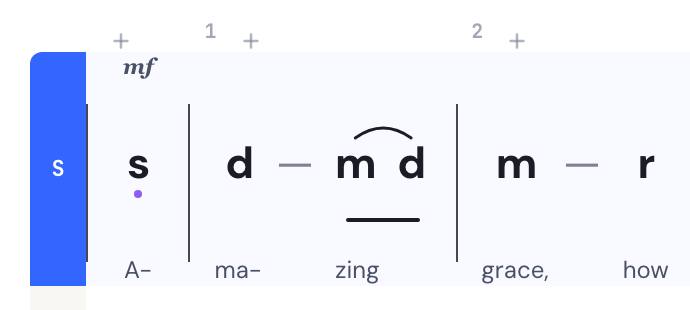
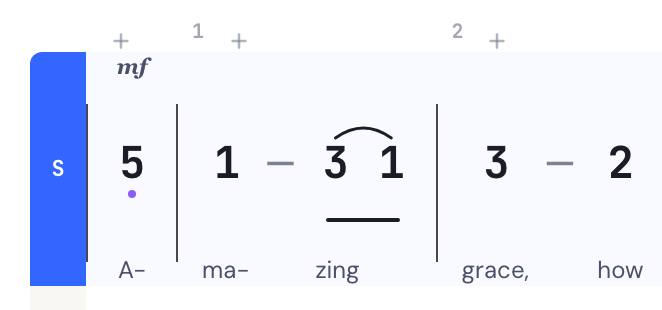
d 1 r 2 m 3 f 4 s 5
Solfa ⇄ jianpu
One score, both notations. Switch in a click — nothing retyped.
DomiSol is a free online solfa editor (and jianpu editor) for tonic sol-fa d r m f s l t and jianpu 1 2 3 4 5 6 7, the notations a billion musicians actually read. Compose, play back, and share hymns and choral pieces in seconds.
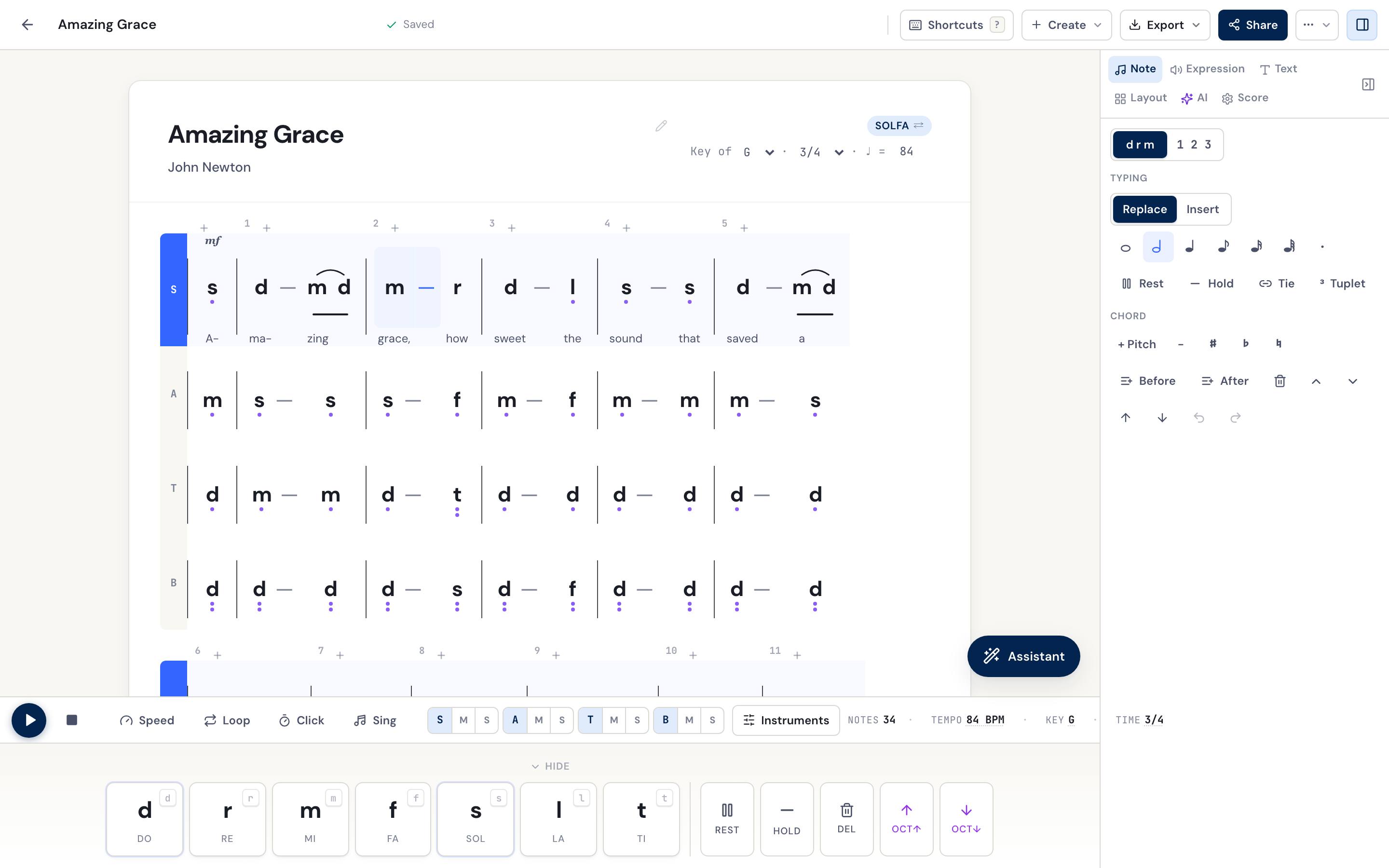
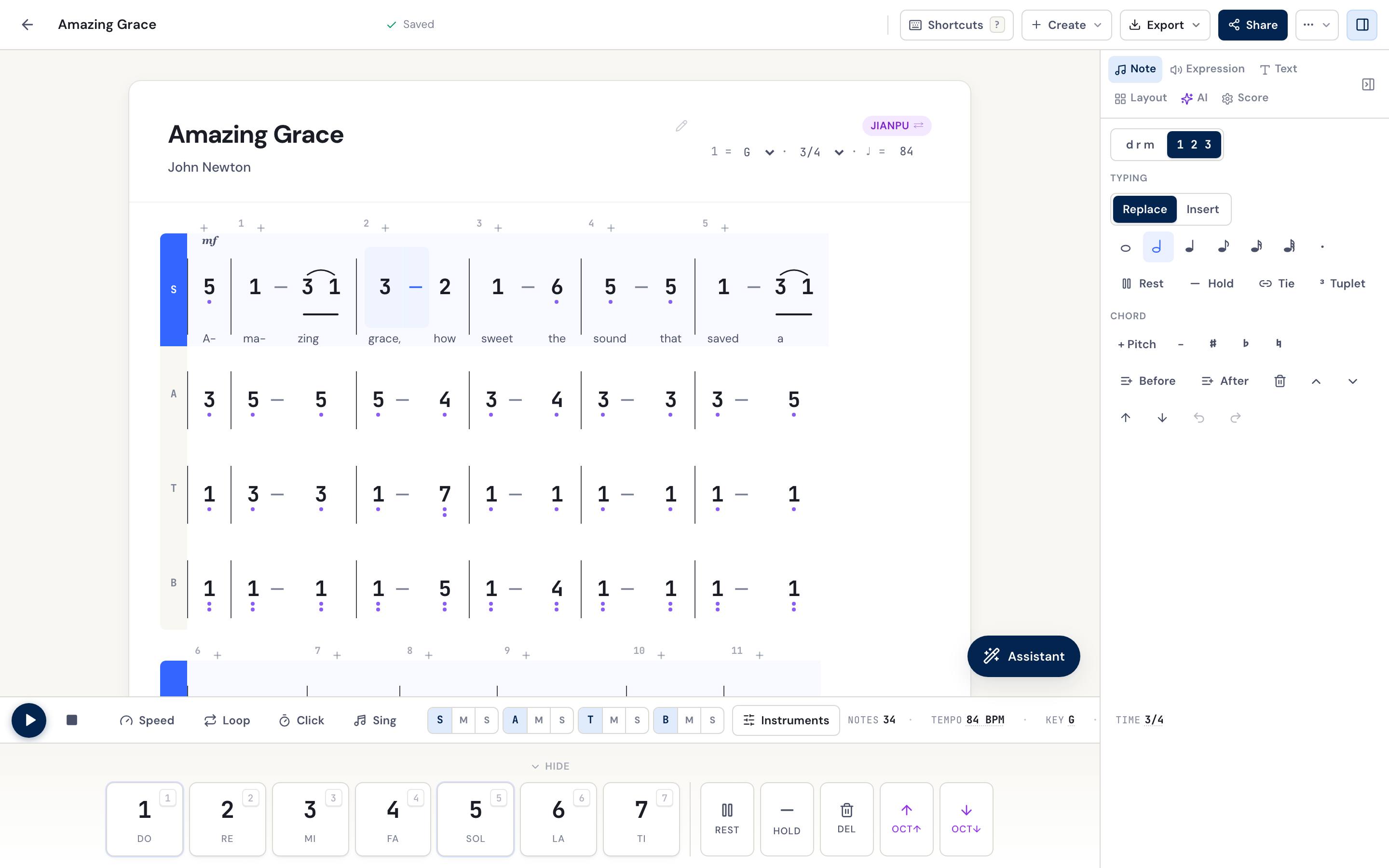
Real screenshots, not a mock-up — one Amazing Grace in four parts, shown in solfa and in jianpu.
Open a dedicated tonic solfa editor or jianpu editor, same engine, framed for your notation.
Ludwig van Beethoven
Purpose-built for the systems your community already reads — not a staff editor with a solfa plugin. Hover a feature to watch it work.
One score, both notations. Switch in a click — nothing retyped.
Instant playback, each note lit as it sounds.
Write the melody; get alto, tenor and bass under it.
Type the lyrics; each syllable lines up with its note.
Opens on any phone, no account — made for the choir's WhatsApp.
A print-ready PDF or an editable Word document, in solfa or jianpu.
Snap a hymnbook page; get notes you can edit, not a picture.
Mute or solo any voice, slow it down, loop a bar.
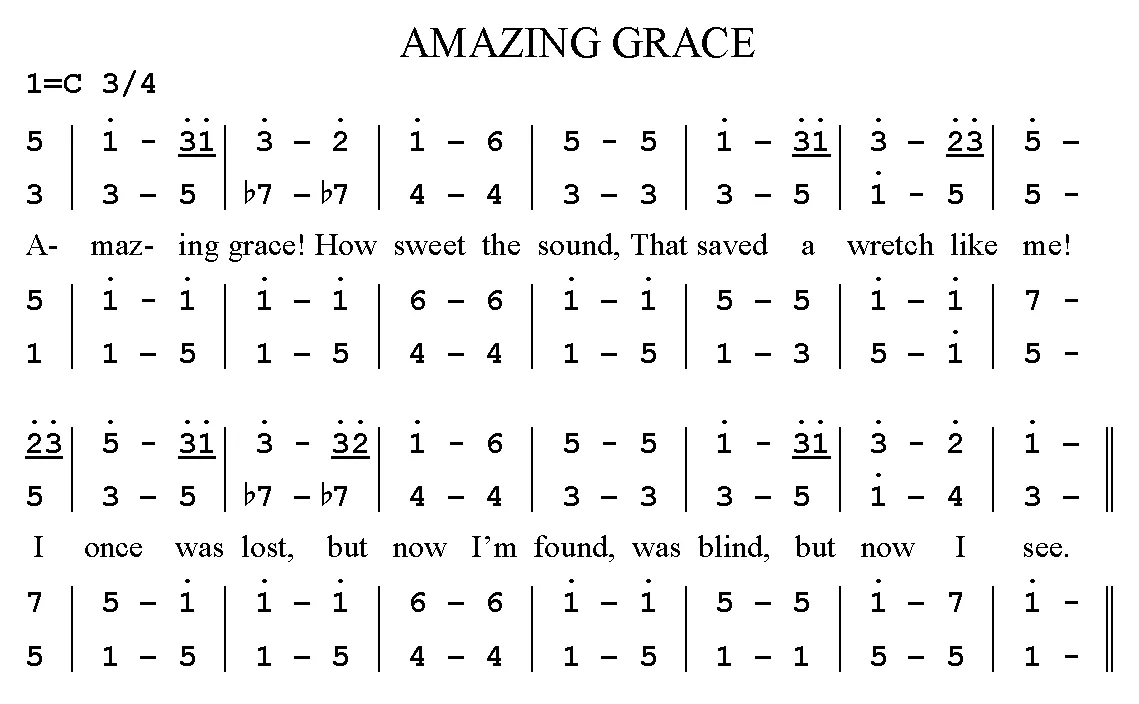
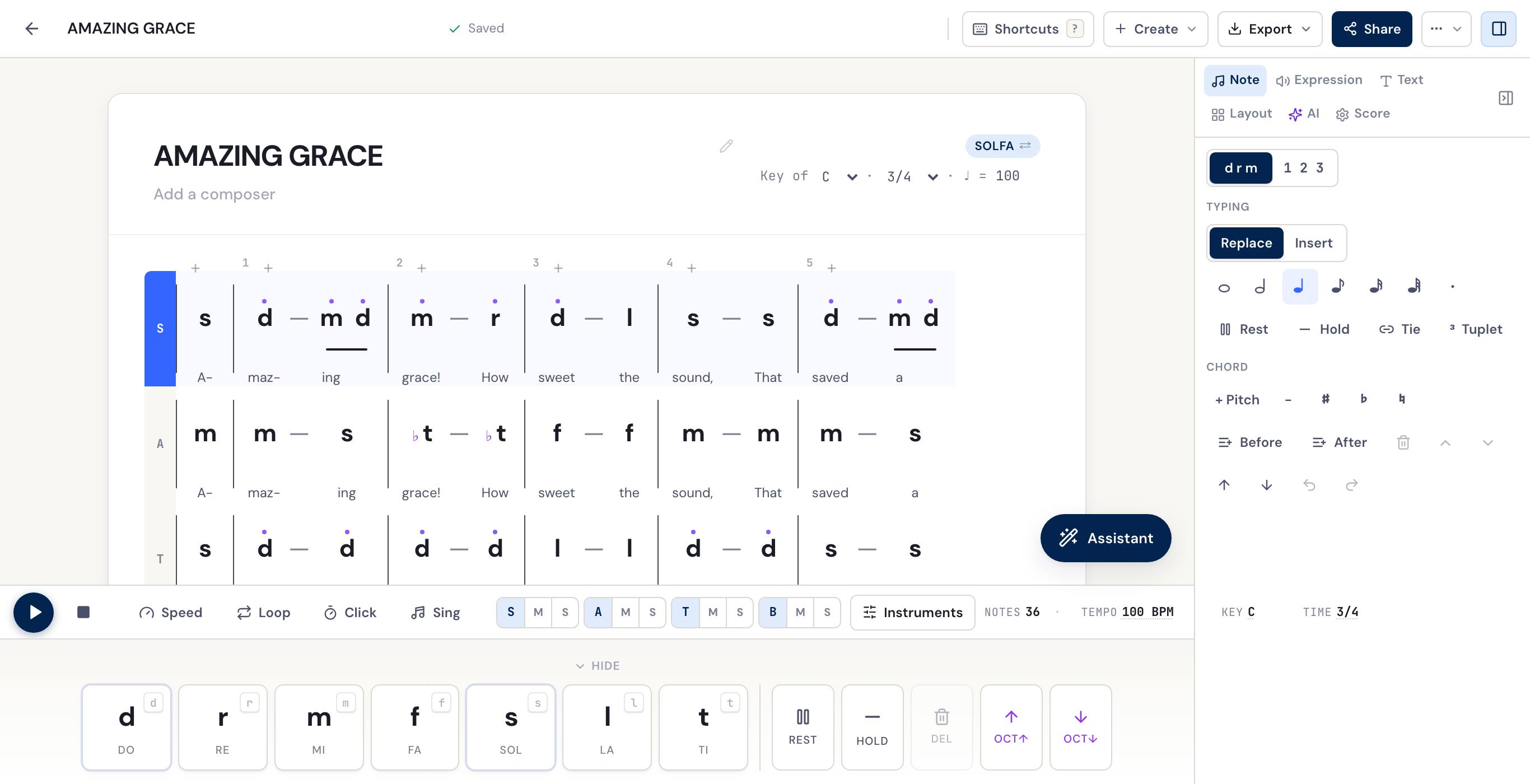
Photograph or scan the page. DomiSol reads the pitches, the rhythm and the words, and hands back a score you can edit — not a picture of one.
Page: public domain (Wikimedia Commons) · DomiSol's reading, untouched
Photograph it. We'll show you what's on the page — staves, note rows, barlines — right in your browser, before you sign up for anything.
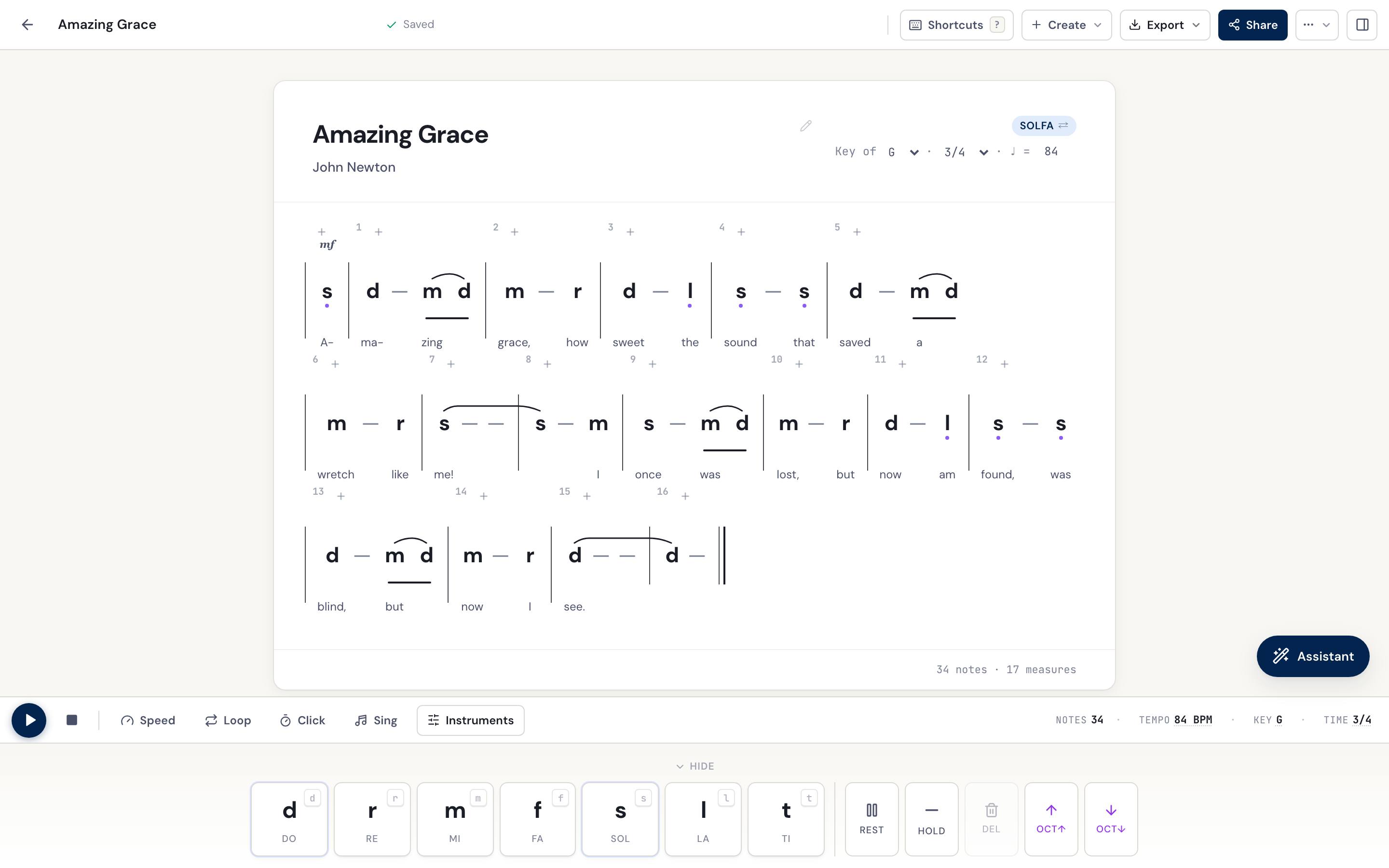
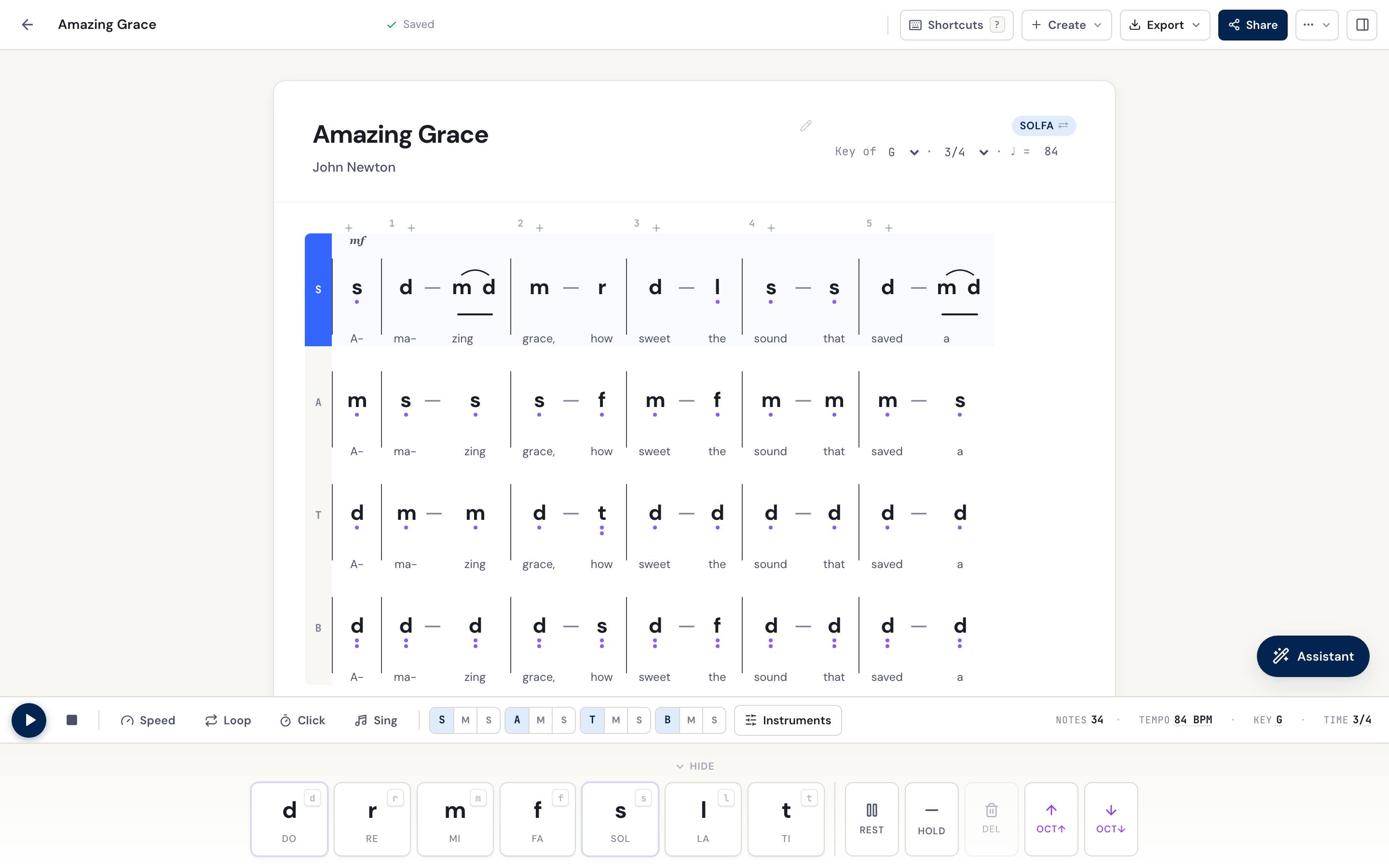
Write the tune. DomiSol writes the other three parts — in one click, with the lyrics carried across every voice.

Build the score on a laptop on Saturday. Share the link in the choir's WhatsApp group on Sunday. Sing from the printout when the wifi drops.

Same melody.
Two languages.
Solfa for the choir master, jianpu for the erhu player, rendered from one source of truth.
How real teams use it
Photos via Unsplash · free for commercial use
A billion musicians read solfa or jianpu. Every other editor treats them as second-class. We don't.
Nigeria · Ghana · Kenya · South Africa
" I've been arranging hymns in solfa on lined paper for 30 years. DomiSol does it on my phone, in WhatsApp. "
Schools · Seminaries · Universities
" My students learn movable-do solfege. Now they can compose, hear it, and submit a PDF, all in one tab. "
China · Taiwan · Indonesia · Myanmar
" Erhu, dizi, gamelan, we've always read jianpu. Finally an editor that treats it as the first language. "
Flat.io and MuseScore are great at staff notation. They're not built for solfa or jianpu, and it shows in the plugin chains and visual workarounds.
Want the full breakdown? Compare the best free solfa editors — DomiSol vs Solfacity, sol2snd, and MuseScore.
Every AI feature we promised is now live in the editor, from harmonize and transpose to hum-to-score, image recognition, and a real-time choir of one. The whole roadmap has shipped. Free tier for everyone, paid plans for the heavy AI.
Snap or upload a photo of ANY score, printed staff, handwritten solfa, jianpu, a hymnbook page, DomiSol reads it and gives you back an editable score in your notation. Multi-page PDFs supported.
Try it in the editorDrop a melody, get a four-part hymn out, in solfa or jianpu, voice-led for real choirs.
Try it in the editorRe-key with voice-leading that keeps tenors out of the basement and sopranos in range.
Try it in the editorGenerate a singable descant for the soprano line, or an alto that doesn't fight the tune.
Try it in the editorWhat chords fit this melody? Get a progression a piano player can actually use on Sunday.
Try it in the editorSing or hum into your microphone, DomiSol transcribes the melody into solfa or jianpu. The most-requested feature.
Try it in the editorPaste a hymn text, pick a meter, get a singable melody, one note per syllable, in solfa or jianpu.
Try it in the editorTranslate any score's lyrics into Yoruba · Twi · Mandarin · Tagalog · 18+ languages with syllable counts that fit the existing notes.
Try it in the editorDrop a .musicxml or .mid file from MuseScore, Finale, Sibelius, or any DAW, DomiSol converts staff notation to solfa or jianpu in your browser. No upload, no AI.
Try it in the editorTwo singers each hum a part to the same click, DomiSol writes both and stacks them into a duet that lines up bar-for-bar.
Try it in the editorDescribe a vocal warm-up in plain words, or pick a preset, and get it written out in solfa or jianpu, the pattern once, a printed key change at every step, the syllables under every note. Print it or share the link.
Try it in the editorThe free tier is permanent, unlimited scores, playback, share links and embeds. Paid plans cover the AI compute and the print-ready exports. Schools & seminaries get an institutional plan.
Everything a single director or student needs.
For one job, done this week.
For composers shipping work every week.
Pay once. Keep DomiSol forever.
100 seats · limited drop
Top up AI without a subscription.
One plan for a whole choir, class, or seminary.
The DomiSol Android app is live on Google Play: the same solfa and jianpu editor, built for your phone. Sign in with your DomiSol account and your scores are there. On iPhone the app is in early access, and you can install it from TestFlight today. Or keep using DomiSol in any mobile browser, no install needed.
Yes. DomiSol is a free online solfa editor (and jianpu editor) that runs in your browser, no install, no card. Write tonic solfa (d r m f s l t) or jianpu (1 2 3 4 5 6 7), hear it play back, arrange SATB, and share a link or export a PDF. All of that is free permanently, with no card; paid plans cover the AI credits and the print-ready exports.
Both are movable-do systems where the tonic of the key is named '1' (jianpu) or 'do' (solfa). Solfa uses syllables like d r m f s l t and is dominant in African and British choral traditions. Jianpu uses numbers 1 2 3 4 5 6 7 and is the standard in China, Taiwan, and Indonesia, with some use in Japan. DomiSol lets you flip between them on any score with one click, the music stays the same, only the glyphs change.
Yes. Describe the warm-up in plain words, “a five-note scale on mah from C up to G and back”, or pick a preset, and DomiSol writes it as a normal solfa or jianpu score: the pattern once, repeated with a printed key change at every step, the syllables under every note and a breath mark at the end of each repetition. Play it climbing key by key, print the PDF, or share the link with the choir. The preset builder is free; turning a sentence into the settings costs 1 AI credit.
Yes. DomiSol supports multi-part scores out of the box. Convert any single-melody score into Soprano, Alto, Tenor, and Bass parts with one click, and edit each part independently with the active-part selector.
Yes, every score plays back instantly through the Web Audio API using Tone.js. Each note highlights as it plays so you can sing or rehearse along. Tempo and key are editable on the fly.
Yes. Export any score to print-ready PDF in either solfa or jianpu mode. Perfect for handing out to choir members on Sunday morning.
DomiSol has a generous free tier covering single-melody scores, SATB editing, playback, PDF export (watermarked), and unlimited share links. Paid plans add AI credits, watermark-free PDFs, MIDI and other exports, and white-label embedding.
Yes. There is a DomiSol app for Android on Google Play, and an iPhone app in early access on TestFlight. The web editor is responsive too, and the score viewer is optimized for sharing via WhatsApp on a low-end Android phone over 3G. Notes are touch-target friendly and the entire UI scrolls horizontally on small screens.
MuseScore and Flat.io are excellent staff-notation editors, but solfa and jianpu are second-class citizens, you need plugins, the rendering is wrong, and the workflow assumes Western staff notation. DomiSol is solfa- and jianpu-native: those are the editing modes, not export formats.
Yes, three ways. DomiSol's Image → notation feature reads a photo or PDF of ANY score (printed staff, handwritten solfa, jianpu, a hymnbook page) and converts it into an editable DomiSol score; multi-page PDFs are supported. You can also import a MusicXML or MIDI file straight from MuseScore, Finale, Sibelius, or any DAW, DomiSol converts the staff notation to solfa or jianpu in your browser. Open the editor and look under the Create menu.
It uses a vision-language model that understands all three notation systems, staff, solfa, and jianpu, including handwritten ones. For clean printed scores it's near-perfect; handwriting and low-light phone snaps may need a few corrections, which is why the recognized score lands directly in the editor for you to tweak. Reading a photo is for paying accounts: a page costs 8 AI credits, the 7-day Pass ($6) covers 3 pages, and Pro's 40 a month cover 5.
Describe the warm-up or pick a preset; get it in solfa or jianpu, key by key, with the syllables and a PDF.
Ask in plain words and it harmonizes, transposes and arranges the score you have open.
Convert a melody into d r m f s l t you can edit, hear and print.
Read a staff score and write it the way your choir reads it.
Write 1 2 3 4 5 6 7 in the browser, with Chinese modal key statements.
Photo, staff score, MusicXML, MIDI — whatever you have, into what your choir reads.
The free plan needs no card: write, play back, share and print solfa or jianpu. The editor opens in a single click.


